
Thank you for using Waterlogue — we’re sorry to see you go!
Subscriptions and subscribers are managed by Apple, so unfortunately, we can’t cancel a subscription on your behalf. However, we’ve made it simple to access your subscription directly within Waterlogue. Here’s how:
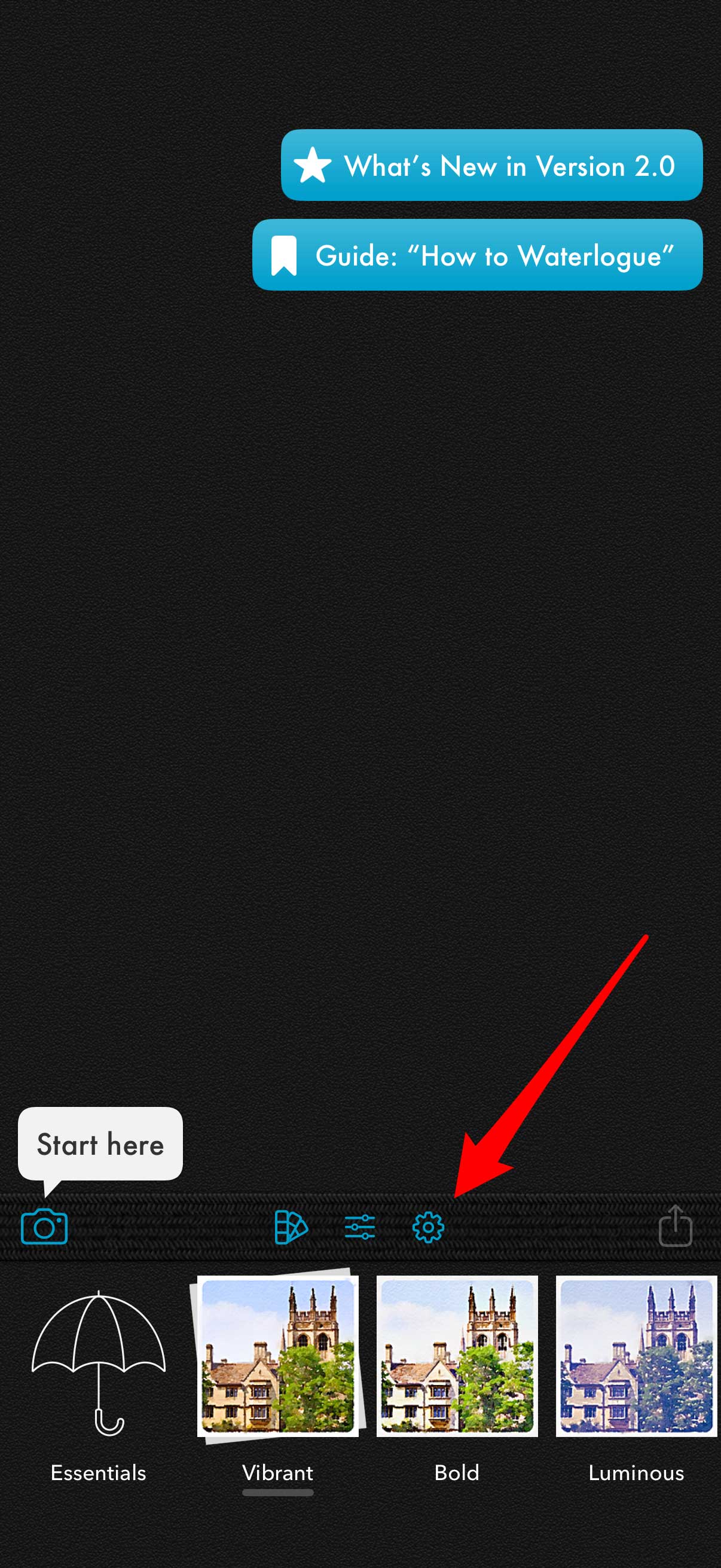
Step 1. Tap the gear icon in the toolbar to open Settings.
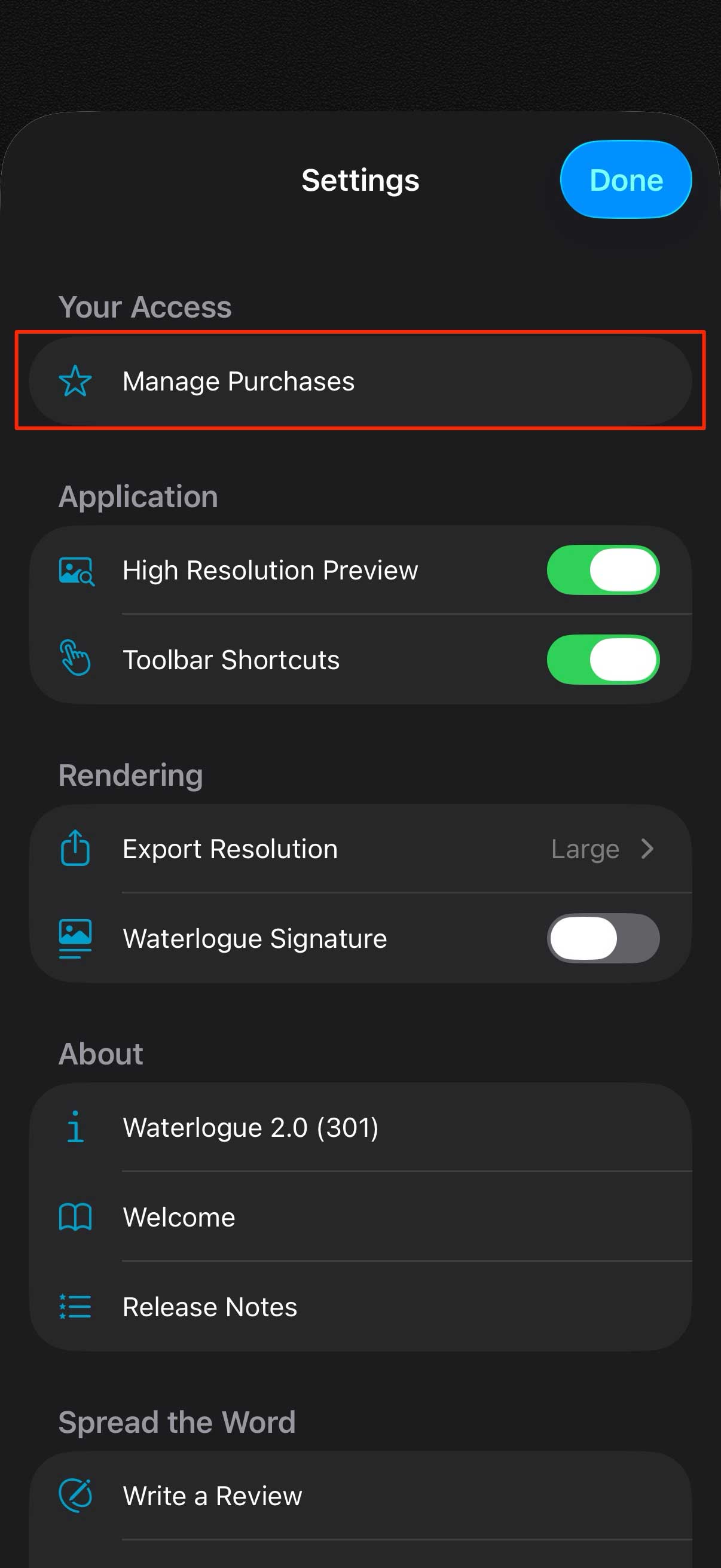
Step 2. Tap Manage Purchases under Your Access.
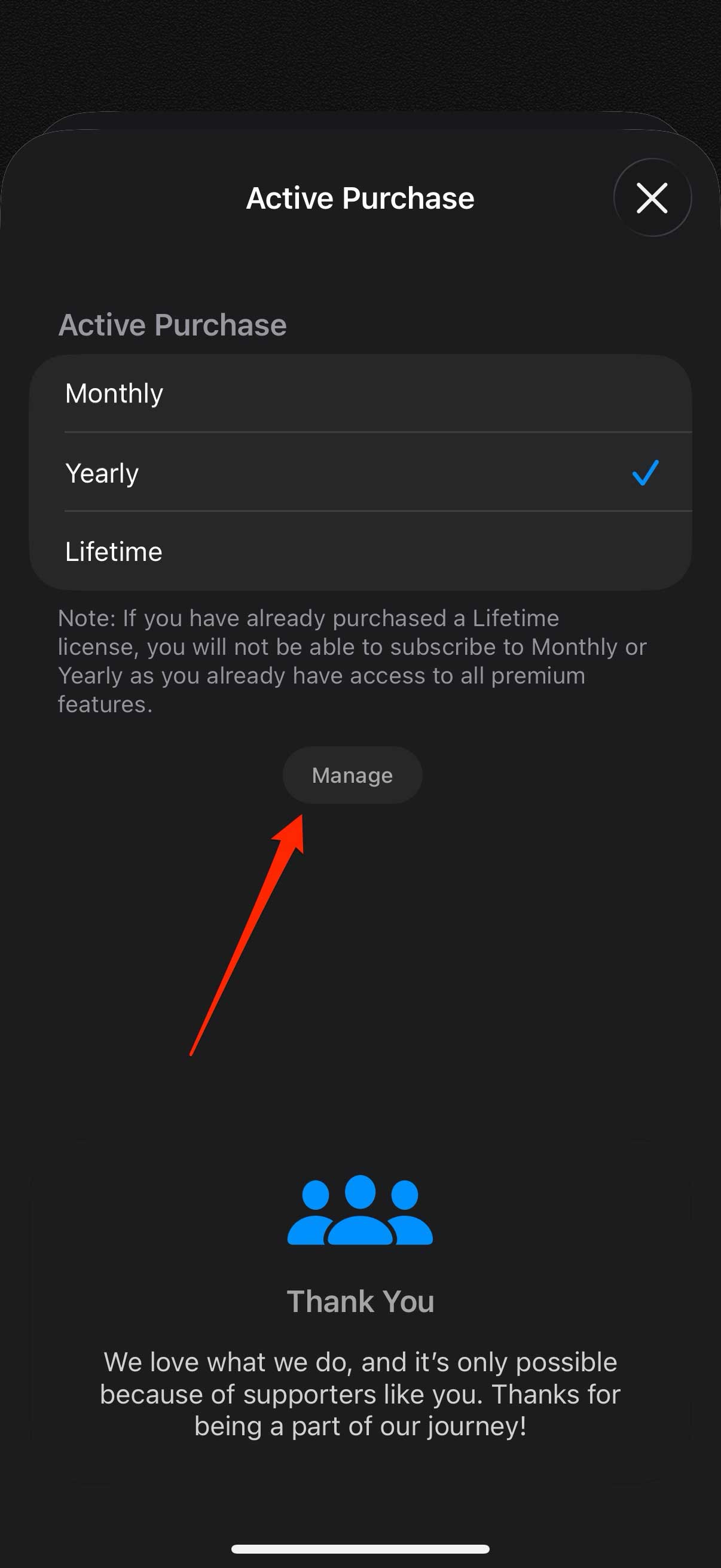
Step 3. Tap the Manage button to open Apple’s subscription management screens.
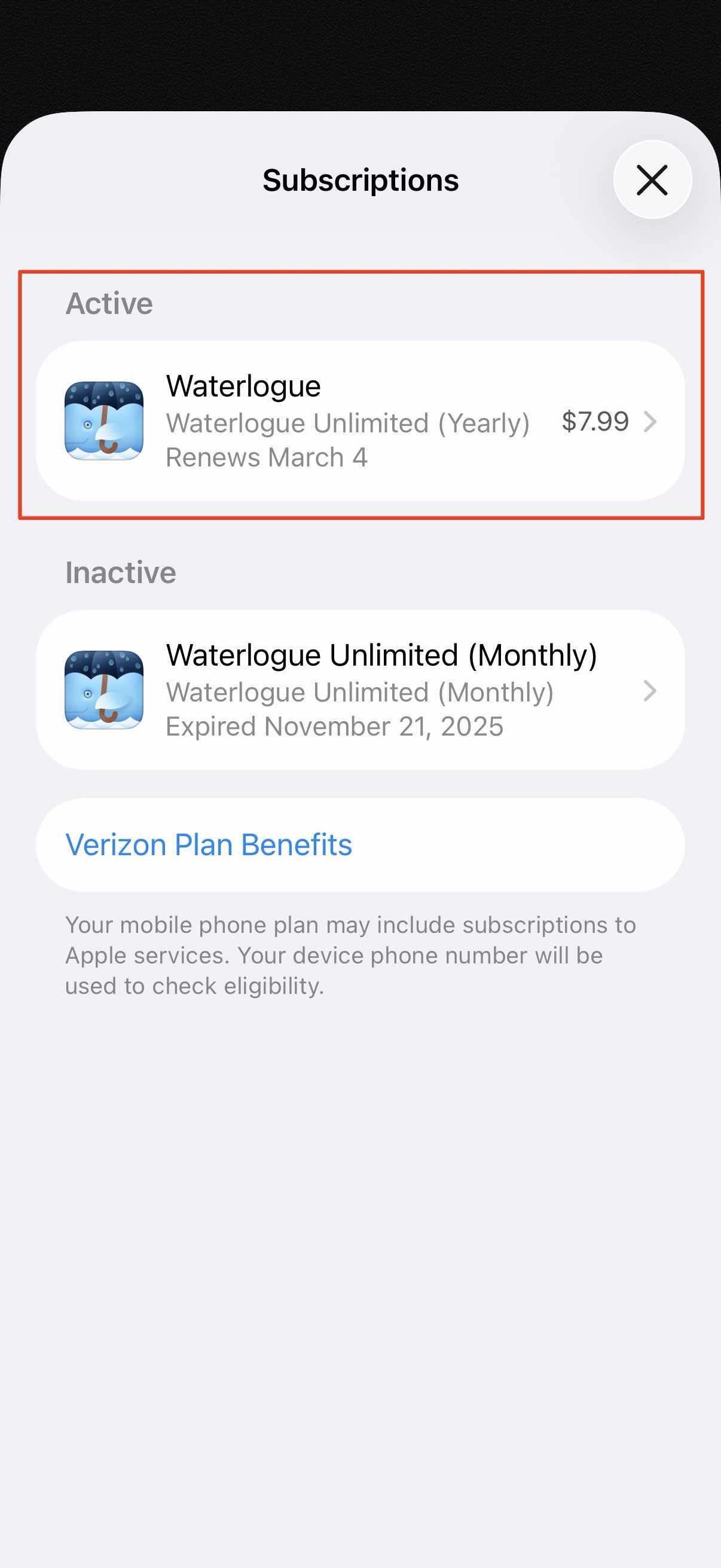
Step 4. Apple will show your active subscriptions. Tap the active Waterlogue subscription.
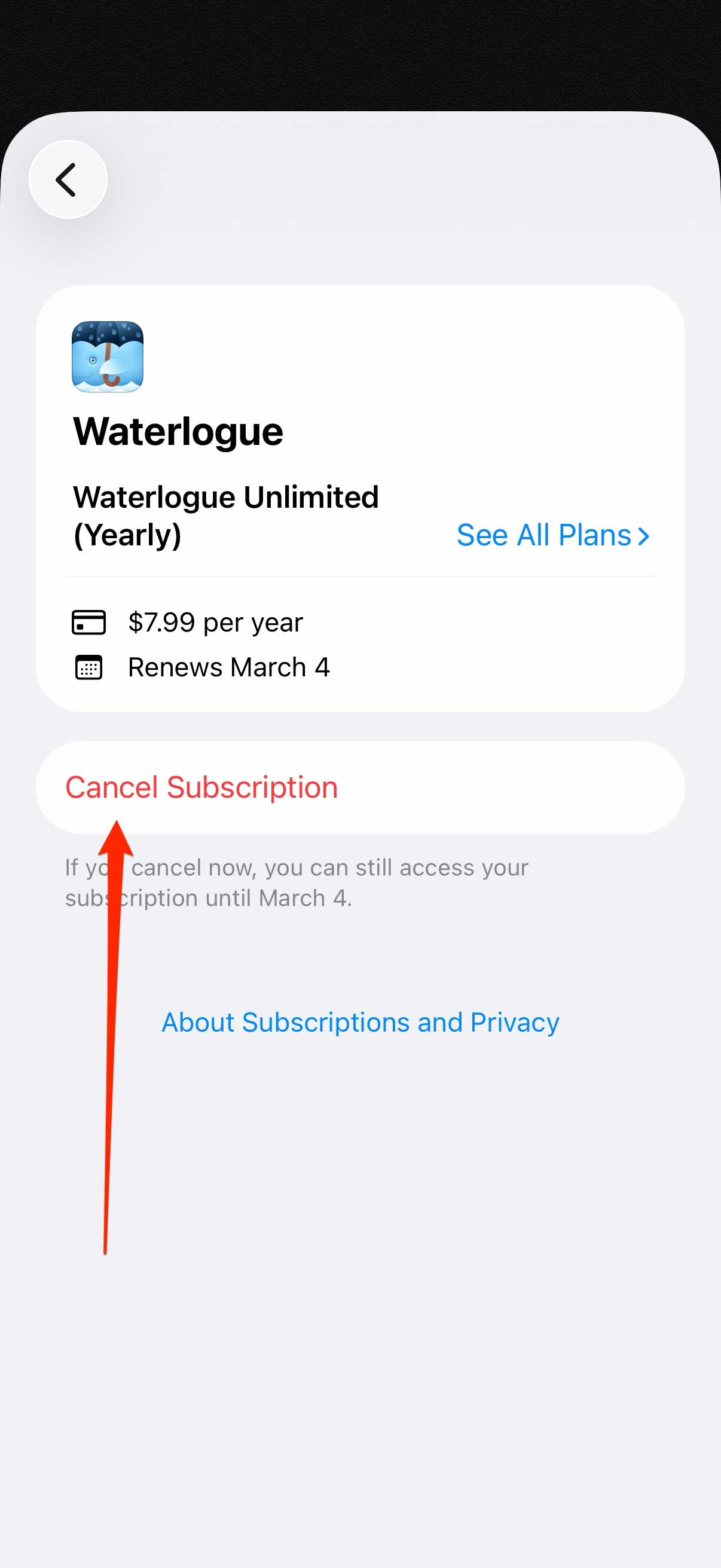
Step 5. Tap Cancel Subscription.
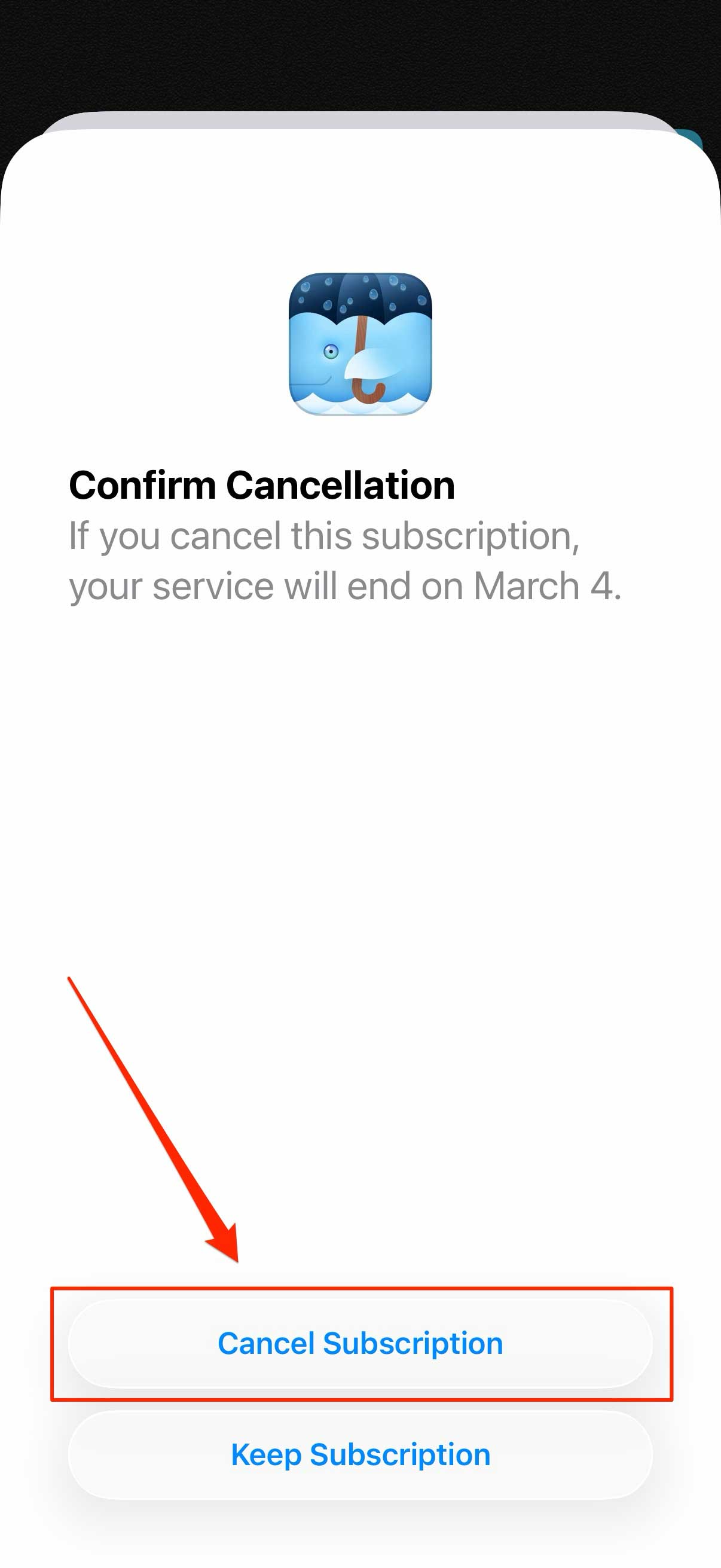
Step 6. Tap Cancel Subscription again to confirm.
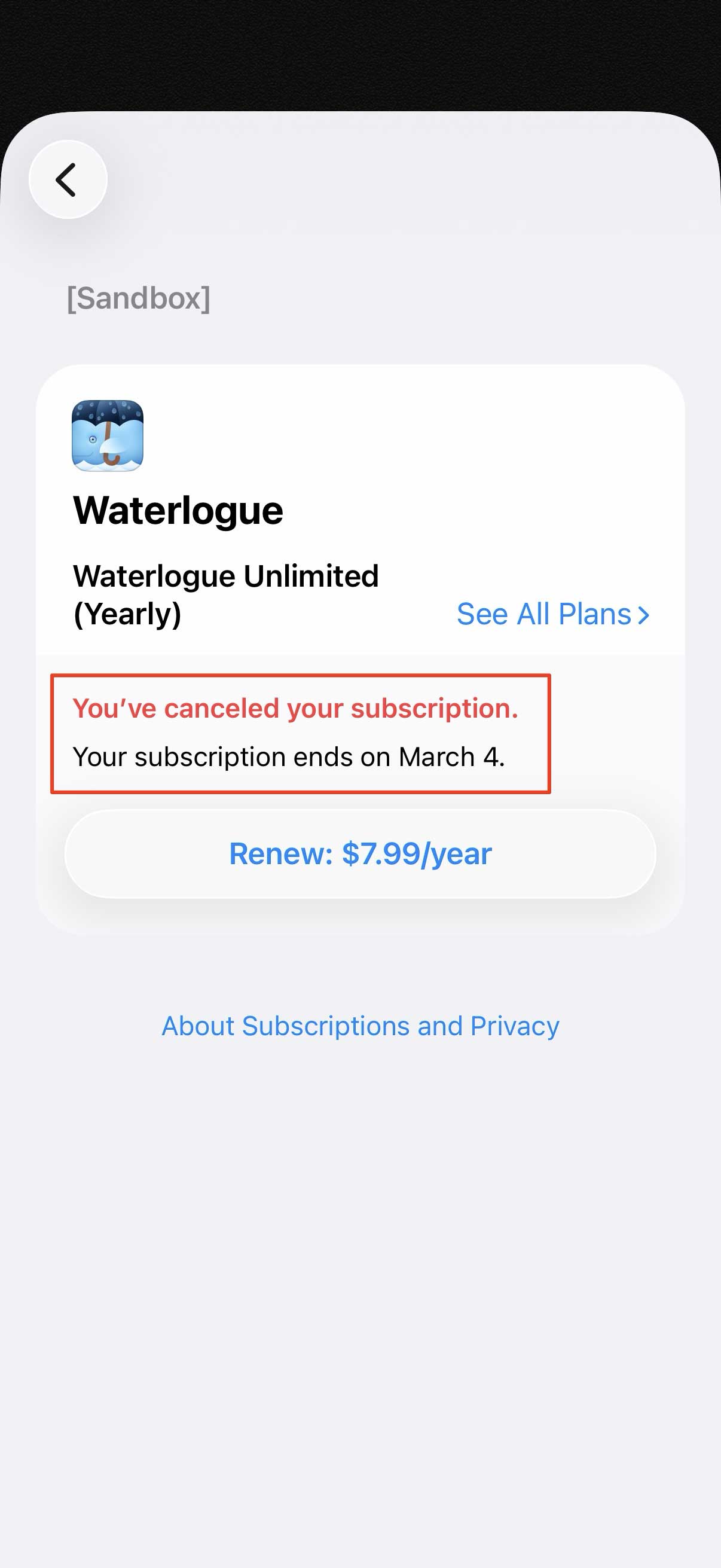
That’s it! Your subscription will remain active until the end of your current billing period—you won’t lose access right away.
Apple also provides general instructions on managing or canceling subscriptions here: